A guide to setting up automated data workflows with Snowflake.
Introduction
In today’s data-driven world, organizations need to process vast amounts of data efficiently. Snowflake, a cloud-based data platform, offers powerful automation features that help streamline workflows, reduce manual effort, and enhance data processing efficiency.
Automating data workflows in Snowflake is essential for:
- Real-time data ingestion from various sources.
- Incremental data processing using change data capture (CDC).
- Scheduled data transformations for ETL/ELT pipelines.
- Trigger-based workflows that respond to new data events.
This guide will walk you through Snowflake’s automation features, step-by-step implementation, and best practices to ensure optimal workflow execution.
Understanding Snowflake Automation Features
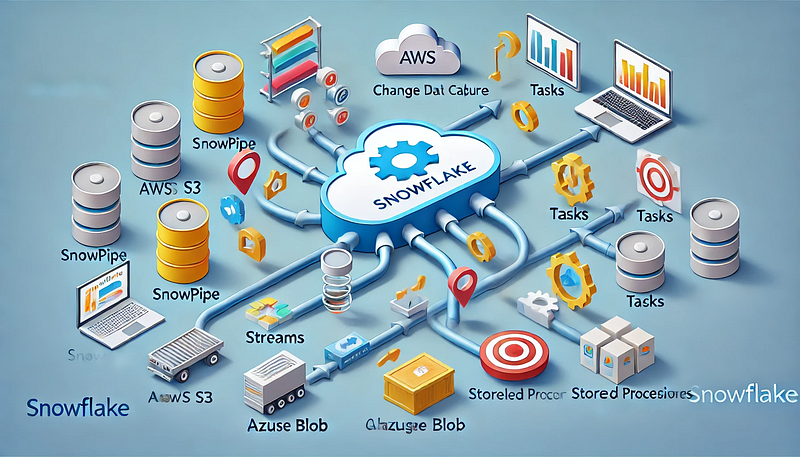
Snowflake provides several built-in automation tools to simplify data workflows:
1. Snowpipe: Automated Data Ingestion
- What it does: Snowpipe enables continuous and automated loading of data from cloud storage (AWS S3, Azure Blob, or Google Cloud Storage) into Snowflake tables.
- Key Benefits:
- Near real-time data ingestion.
- Cost-efficient pay-per-use pricing model.
- Automatic triggering using cloud storage event notifications.
2. Streams: Change Data Capture (CDC) in Snowflake
- What it does: Streams track inserts, updates, and deletes in a table, enabling incremental data processing.
- Key Benefits:
- Efficient CDC mechanism for ETL workflows.
- Ensures only modified data is processed, reducing compute costs.
- Works seamlessly with Snowflake Tasks for automation.
3. Tasks: Automating SQL Workflows
- What it does: Snowflake Tasks allow scheduling and chaining of SQL queries, enabling sequential execution.
- Key Benefits:
- Automates transformations and incremental data loads.
- Supports event-driven workflows.
- Can be scheduled using cron expressions.
4. Stored Procedures: Automating Complex Business Logic
- What it does: Stored procedures allow procedural execution of SQL and Python-based logic within Snowflake.
- Key Benefits:
- Enables advanced data processing beyond standard SQL queries.
- Supports loops, conditions, and API calls.
- Works well with Tasks and Streams for automation.
Step-by-Step Guide to Setting Up Automated Workflows in Snowflake
1. Automating Data Ingestion with Snowpipe
Step 1: Create an External Stage
sqlCREATE OR REPLACE STAGE my_s3_stage
URL = 's3://my-bucket/data/'
STORAGE_INTEGRATION = my_s3_integration;Step 2: Define a File Format
sqlCREATE OR REPLACE FILE FORMAT my_csv_format
TYPE = 'CSV'
FIELD_OPTIONALLY_ENCLOSED_BY = '"';Step 3: Create a Table for the Incoming Data
sqlCREATE OR REPLACE TABLE raw_data (
id INT,
name STRING,
created_at TIMESTAMP
);Step 4: Create and Configure Snowpipe
sqlCREATE OR REPLACE PIPE my_snowpipe
AUTO_INGEST = TRUE
AS
COPY INTO raw_data
FROM @my_s3_stage
FILE_FORMAT = (FORMAT_NAME = my_csv_format);✅ Outcome: This Snowpipe will automatically load new files from S3 into the raw_data table whenever a new file arrives.
2. Scheduling Workflows Using Snowflake Tasks
Step 1: Create a Task for Data Transformation
sqlCREATE OR REPLACE TASK transform_data_task
WAREHOUSE = my_warehouse
SCHEDULE = 'USING CRON 0 * * * * UTC'
AS
INSERT INTO transformed_data
SELECT id, name, created_at, CURRENT_TIMESTAMP AS processed_at
FROM raw_data;✅ Outcome: This task runs hourly, transforming raw data into a structured format.
3. Tracking Data Changes with Streams for Incremental ETL
Step 1: Create a Stream on the Source Table
sqlCREATE OR REPLACE STREAM raw_data_stream
ON TABLE raw_data;Step 2: Create a Task to Process Changes
sqlCREATE OR REPLACE TASK incremental_etl_task
WAREHOUSE = my_warehouse
AFTER transform_data_task
AS
INSERT INTO processed_data
SELECT * FROM raw_data_stream WHERE METADATA$ACTION = 'INSERT';✅ Outcome:
- The Stream captures new rows in
raw_data. - The Task processes only the changes, reducing workload and costs.
4. Using Stored Procedures for Automation
Step 1: Create a Python-Based Stored Procedure
sqlCREATE OR REPLACE PROCEDURE cleanup_old_data()
RETURNS STRING
LANGUAGE PYTHON
RUNTIME_VERSION = '3.8'
HANDLER = 'cleanup'
AS
$$
def cleanup(session):
session.sql("DELETE FROM processed_data WHERE processed_at < CURRENT_DATE - INTERVAL '30' DAY").collect()
return "Cleanup Completed"
$$;Step 2: Automate the Procedure Execution Using a Task
sqlCREATE OR REPLACE TASK cleanup_task
WAREHOUSE = my_warehouse
SCHEDULE = 'USING CRON 0 0 * * * UTC'
AS CALL cleanup_old_data();✅ Outcome: The procedure automatically deletes old records every day.
Best Practices for Snowflake Automation
1. Optimize Task Scheduling
- Avoid overlapping schedules to prevent unnecessary workload spikes.
- Use AFTER dependencies instead of cron when chaining tasks.
2. Monitor and Troubleshoot Workflows
- Use
SHOW TASKSandSHOW PIPESto track execution status. - Check
TASK_HISTORYandPIPE_USAGE_HISTORYfor errors.
sqlSELECT * FROM SNOWFLAKE.INFORMATION_SCHEMA.TASK_HISTORY
WHERE STATE != 'SUCCEEDED'
ORDER BY COMPLETED_TIME DESC;3. Cost Management
- Choose the right warehouse size for executing tasks.
- Pause tasks when not needed to save credits.
- Monitor compute costs using
WAREHOUSE_METERING_HISTORY.
4. Security Considerations
- Grant least privilege access for tasks and Snowpipe.
- Use service accounts instead of personal credentials for automation.
- Encrypt sensitive data before ingestion.
Conclusion
Snowflake provides powerful automation tools to streamline data workflows, enabling efficient ETL, real-time ingestion, and scheduled transformations. By leveraging Tasks, Streams, Snowpipe, and Stored Procedures, you can build a fully automated data pipeline that is cost-effective, scalable, and easy to manage.
✅ Next Steps:
- Experiment with multi-step task workflows.
- Integrate Snowflake automation with Apache Airflow.
- Explore event-driven pipelines using cloud functions.
WEBSITE: https://www.ficusoft.in/snowflake-training-in-chennai/


Comments
Post a Comment