Deep dive into restoring data and disaster recovery capabilities in Snowflake.
1. Introduction
Data loss can occur due to accidental deletions, corruption, system failures, or cyberattacks. In cloud-based data warehouses like Snowflake, having a well-structured disaster recovery (DR) plan is critical for business continuity.
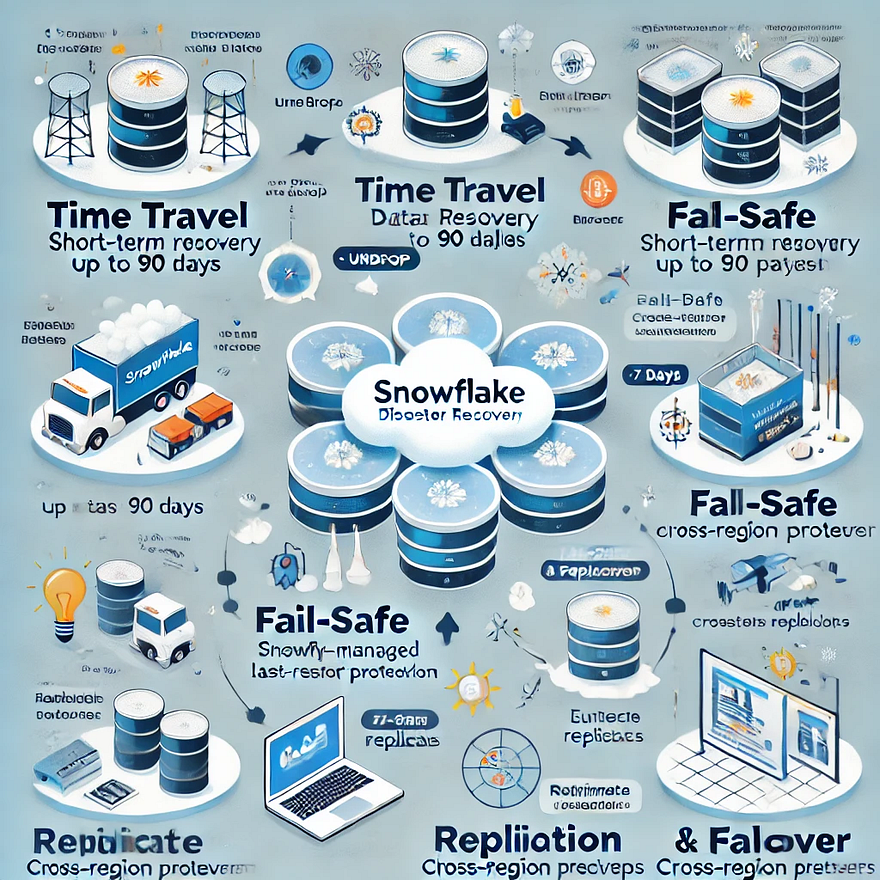
Snowflake provides built-in data restoration features that help organizations recover from failures efficiently, including:
- Time Travel for short-term historical data recovery.
- Fail-Safe for emergency last-resort data retrieval.
- Replication and Failover to ensure availability across regions/clouds.
In this deep dive, we will explore these capabilities and best practices for implementing a robust DR strategy in Snowflake.
2. Snowflake’s Data Restoration and Disaster Recovery Features
a. Time Travel: Recovering Historical Data
Time Travel allows users to access past versions of data or even restore deleted objects. This is useful for:
- Undoing accidental deletions or updates
- Comparing historical data versions
- Restoring dropped tables or schemas
How Time Travel Works
Snowflake retains historical data based on the table type and account edition:
- Standard Edition: Retention up to 1 day
- Enterprise & Higher Editions: Retention up to 90 days
Using Time Travel
- Querying Historical Data
- sql
SELECT * FROM my_table AT (TIMESTAMP => '2025-02-21 12:00:00');- sql
SELECT * FROM my_table BEFORE (STATEMENT => 'xyz');
- Restoring a Dropped Table
sqlUNDROP TABLE my_table;
- Cloning Data for Quick Recovery
- sql
CREATE TABLE my_table_clone CLONE my_table AT (OFFSET => -60*5);
- (Creates a table clone from 5 minutes ago.)
⏳ Limitations: Time Travel does not protect data indefinitely; once the retention period expires, Snowflake permanently removes older versions.
b. Fail-Safe: Last-Resort Recovery
Fail-Safe provides an additional 7-day retention beyond Time Travel for Enterprise and Business Critical accounts. It is meant for disaster recovery and not for user-driven restores.
Key Features of Fail-Safe:
✅ Automatically enabled (no user action needed).
✅ Retains deleted data for 7 days after the Time Travel period ends.
✅ Used only in emergency scenarios where Snowflake must intervene.
Example Scenario:
If a table’s Time Travel retention is 7 days and you drop it on Day 1, you can restore it using UNDROP within that period. If you realize the loss on Day 9, Time Travel won’t help, but Fail-Safe can be used by Snowflake support.
❗ Limitations:
- Users cannot query Fail-Safe data.
- Recovery is only possible by contacting Snowflake support.
c. Replication & Failover: Ensuring High Availability
Replication is a critical disaster recovery mechanism that allows Snowflake accounts to maintain readable or writable copies of databases across multiple regions/clouds.
How Replication Works:
- Data is copied from a primary region (e.g.,
AWS us-east-1) to one or more secondary regions (e.g.,Azure Europe). - Failover ensures seamless redirection of queries to the replica in case of an outage.
Setting Up Database Replication
- Enable Replication for a Database:
- sql
ALTER DATABASE my_db ENABLE REPLICATION TO ACCOUNTS 'us_east_replica';
- Manually Sync Changes to the Replica:
- sql
ALTER DATABASE my_db REFRESH;
- Performing a Failover (Switch to Replica):
- sql
ALTER REPLICATION GROUP my_rep_group FAILOVER TO ACCOUNT 'us_east_replica';
✅ Benefits:
- Disaster recovery in case of a regional outage.
- Minimized downtime during planned maintenance.
- Business continuity even in multi-cloud environments.
d. Continuous Data Protection Best Practices
To prevent data loss and corruption, follow these best practices:
✔ Use Cloning: Instant backups for testing and sandboxing.
✔ Automate Backups: Create periodic snapshots of tables.
✔ Set Proper Permissions: Prevent unauthorized DROP or TRUNCATE actions.
✔ Monitor Data Changes: Track changes using INFORMATION_SCHEMA.
Example:
sqlSELECT * FROM INFORMATION_SCHEMA.TABLE_STORAGE_METRICS WHERE TABLE_NAME = 'my_table';3. Implementing a Disaster Recovery Plan in Snowflake
A strong disaster recovery strategy involves:
a. Setting Recovery Objectives (RTO & RPO)
- Recovery Time Objective (RTO): The maximum acceptable downtime.
- Recovery Point Objective (RPO): The maximum tolerable data loss.
Example:
- If your business requires 0 data loss, cross-region replication is necessary.
- If your RPO is 1 hour, you can use automated snapshots and Time Travel.
b. Automating Backups & Data Snapshots
Automate periodic snapshots using Task Scheduling in Snowflake:
sqlCREATE TASK daily_backup
WAREHOUSE = my_wh
SCHEDULE = 'USING CRON 0 0 * * * UTC'
AS
CREATE TABLE backup_table CLONE my_table;c. Testing the Disaster Recovery Plan
- Simulate data loss scenarios quarterly.
- Validate Time Travel, Failover, and Replication.
- Train teams to execute recovery procedures.
4. Best Practices for Data Restoration & Disaster Recovery in Snowflake
🔹 1. Optimize Time Travel Retention
- Critical tables → Set retention up to 90 days.
- Less important tables → Lower retention to reduce costs.
🔹 2. Enable Replication for Critical Workloads
- Use cross-region and multi-cloud replication for high availability.
- Validate that failover works correctly.
🔹 3. Combine Snowflake with External Backup Solutions
- Use Amazon S3, Azure Blob, or Google Cloud Storage for long-term backups.
- Schedule incremental extracts for extra security.
🔹 4. Monitor & Audit DR Processes
- Regularly review:
- sql
SHOW REPLICATION ACCOUNTS; SHOW FAILOVER GROUPS;
Set up alerts for unauthorized data modifications.5. Conclusion
Snowflake offers powerful data restoration and disaster recovery features to protect businesses from data loss. A well-structured Time Travel, Fail-Safe, and Replication strategy ensures that organizations can recover quickly from disasters.
By following best practices such as automating backups, monitoring data changes, and testing DR plans, businesses can minimize downtime and enhance resilience.
WEBSITE: https://www.ficusoft.in/snowflake-training-in-chennai/


Comments
Post a Comment