Mastering Java Design Patterns: Singleton, Factory, and Observer
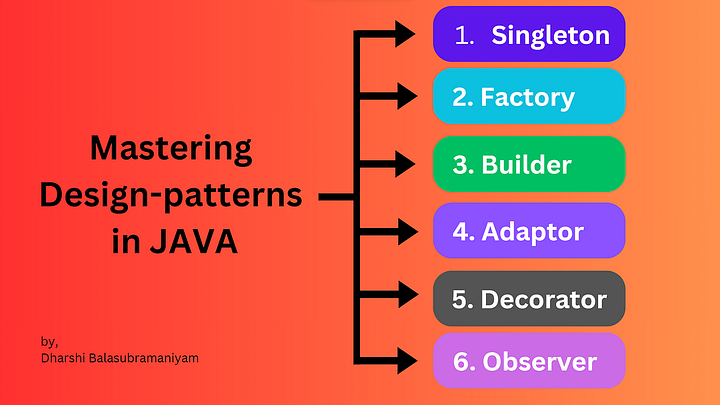
Design patterns are essential for writing scalable, reusable, and maintainable Java applications. In this blog, we’ll dive into three widely used creational and behavioral design patterns: Singleton, Factory, and Observer.
1. Singleton Pattern
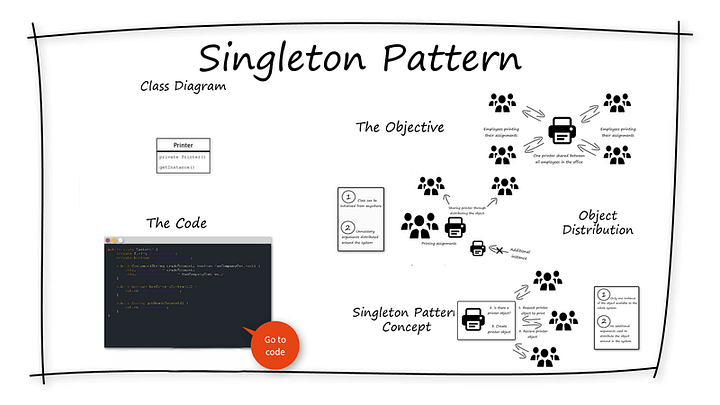
The Singleton pattern ensures that a class has only one instance and provides a global access point to it. This is useful in scenarios like database connections, logging, or thread pools.
Implementation of Singleton Pattern
Here’s how you can implement a thread-safe Singleton in Java using the lazy initialization approach with double-checked locking:
javapublic class Singleton {
private static volatile Singleton instance; private Singleton() {
// Private constructor prevents instantiation
} public static Singleton getInstance() {
if (instance == null) {
synchronized (Singleton.class) {
if (instance == null) {
instance = new Singleton();
}
}
}
return instance;
}
}When to Use Singleton Pattern
- Database connections (e.g., connection pools).
- Logging (ensuring only one logger instance).
- Caching (storing frequently accessed data).
2. Factory Pattern
The Factory pattern is a creational design pattern that provides an interface for creating objects without specifying their concrete class. It promotes loose coupling and code reusability.
Implementation of Factory Pattern
Let’s create a Factory for different shapes:
java// Step 1: Define an interface
interface Shape {
void draw();
}// Step 2: Implement different shape classes
class Circle implements Shape {
public void draw() {
System.out.println("Drawing a Circle");
}
}
class Rectangle implements Shape {
    public void draw() {
        System.out.println("Drawing a Rectangle");
    }
}
// Step 3: Create the Factory class
class ShapeFactory {
public static Shape getShape(String shapeType) {
if (shapeType.equalsIgnoreCase("CIRCLE")) {
return new Circle();
} else if (shapeType.equalsIgnoreCase("RECTANGLE")) {
return new Rectangle();
}
return null;
}
}
// Step 4: Using the Factory
public class FactoryPatternExample {
    public static void main(String[] args) {
        Shape shape1 = ShapeFactory.getShape("CIRCLE");
        shape1.draw();
        Shape shape2 = ShapeFactory.getShape("RECTANGLE");
        shape2.draw();
    }
}
When to Use Factory Pattern
- When object creation logic is complex.
- When you need to return different subclasses based on input.
- To decouple object creation from the client code.
3. Observer Pattern
The Observer pattern is a behavioral design pattern that establishes a one-to-many dependency between objects. When one object (subject) changes, all its dependent objects (observers) are notified automatically.
Implementation of Observer Pattern
Let’s create a Publisher-Subscriber (Observer) system:
javaimport java.util.ArrayList;
import java.util.List;// Step 1: Define the Observer interface
interface Observer {
void update(String message);
}
// Step 2: Create a Concrete Observer
class User implements Observer {
    private String name;
    public User(String name) {
        this.name = name;
    }
@Override
public void update(String message) {
System.out.println(name + " received notification: " + message);
}
}
// Step 3: Create the Subject (Publisher) interface
interface Subject {
    void addObserver(Observer observer);
    void removeObserver(Observer observer);
    void notifyObservers(String message);
}
// Step 4: Implement Concrete Subject
class NotificationService implements Subject {
    private List<Observer> observers = new ArrayList<>();
    @Override
    public void addObserver(Observer observer) {
        observers.add(observer);
    }
    @Override
    public void removeObserver(Observer observer) {
        observers.remove(observer);
    }
    @Override
    public void notifyObservers(String message) {
        for (Observer observer : observers) {
            observer.update(message);
        }
    }
}
// Step 5: Using the Observer Pattern
public class ObserverPatternExample {
    public static void main(String[] args) {
        NotificationService service = new NotificationService();
        Observer user1 = new User("Alice");
        Observer user2 = new User("Bob");
service.addObserver(user1);
service.addObserver(user2);
        service.notifyObservers("New Video Uploaded!");
    }
}
When to Use Observer Pattern
- Implementing event-driven systems.
- In real-time updates (e.g., stock price updates, chat applications).
- Decoupling subjects from observers to promote flexibility.
Conclusion
These three patterns are fundamental in Java application development:
✅ Singleton: Ensures only one instance exists (e.g., database connections).
✅ Factory: Creates objects dynamically (e.g., UI components, shape creators).
✅ Observer: Implements event-driven communication (e.g., notification services).
By mastering these patterns, you can write cleaner, maintainable, and scalable Java code. 🚀
WEBSITE: https://www.ficusoft.in/core-java-training-in-chennai/


Comments
Post a Comment