Micro-Interactions: How Small Details Enhance User Experience
Micro-Interactions: How Small Details Enhance User Experience
Micro-interactions are subtle animations and feedback mechanisms that make digital experiences more engaging, intuitive, and user-friendly. These small details significantly impact usability, engagement, and delight without overwhelming users.
1. What Are Micro-Interactions?
A micro-interaction is a small, functional animation that occurs in response to a user’s action. They guide users, provide feedback, and improve the overall UX.
🔹 Examples:
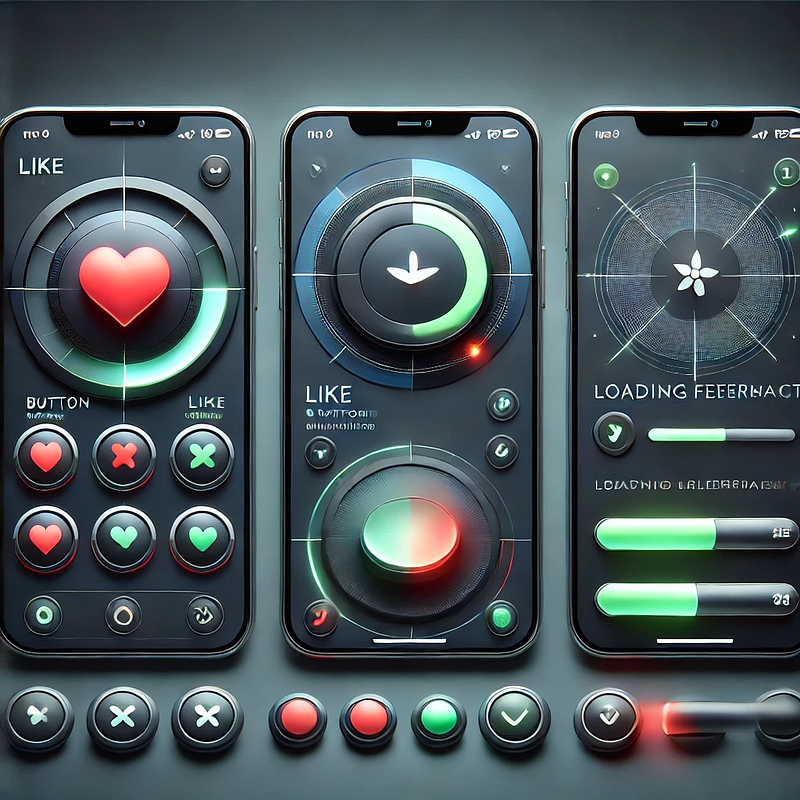
✅ A “like” button that animates when clicked ❤️
✅ A password strength meter while typing 🔒
✅ A loading spinner when fetching data ⏳
💡 Micro-interactions improve UX by making interfaces feel alive, intuitive, and responsive.
2. Key Components of Micro-Interactions
Every micro-interaction consists of four key parts:
1️⃣ Trigger — The user action or system event that initiates the micro-interaction.
2️⃣ Rules — Define what happens once the interaction starts.
3️⃣ Feedback — Provides real-time response (e.g., animation, vibration).
4️⃣ Loop & Mode — Determines if the interaction repeats or adapts based on context.
🔹 Example: Toggle Button Animation
- Trigger: User taps the toggle switch.
- Rules: The toggle state changes from “Off” to “On.”
- Feedback: The switch smoothly slides and changes color.
- Loop & Mode: The toggle remains in its new state until changed.
3. Why Micro-Interactions Matter in UX Design
✅ Enhance User Engagement: Makes the UI more interactive and fun.
✅ Provide Instant Feedback: Shows the result of an action in real time.
✅ Improve Usability: Helps guide users intuitively.
✅ Add Personality to a Brand: Creates a more human and relatable experience.
4. Common Micro-Interaction Examples
🔹 Loading Animations
🔄 Prevent frustration by keeping users informed.
Instead of a boring “Loading…” message, a creative animation can improve perceived performance.
✅ Example:
- Spinning loader (⏳)
- Skeleton screens (gradually load content)
- Progress bars (indicate completion)
🔹 Button Feedback & Hover Effects
📍 Enhances interactions and confirms user actions.
✅ Example:
- Buttons change color or size when hovered.
- A ripple effect when clicking a button.
cssCopyEditbutton:active {
transform: scale(0.95);
}🔹 Form Validations & Input Feedback
✍️ Makes form-filling easier and error-free.
✅ Example:
- Inline validation messages (✅ or ❌).
- Password strength indicators.
- Shake animation for incorrect input.
javascriptif (password.length < 6) {
inputField.classList.add("shake");
}🔹 Like, Share, & Favorite Animations
❤️ Encourages engagement and interaction.
✅ Example:
- Clicking a heart icon makes it pop & change color.
- Social media reactions (e.g., Facebook’s Like button).
javascriptheartIcon.addEventListener("click", () => {
heartIcon.classList.add("animate-heart");
});🔹 Toggle Switch & Dark Mode
🌗 Smooth transitions improve experience.
✅ Example:
- A toggle switch animates when switching between light and dark modes.
- Background and elements smoothly transition between themes.
javascripttoggleButton.addEventListener("click", () => {
document.body.classList.toggle("dark-mode");
});5. Best Practices for Designing Micro-Interactions
🎯 Keep it Simple — Subtle animations work best; avoid overuse.
⚡ Make it Fast — Animations should be quick (0.2–0.5s).
🎨 Match the Brand Personality — Ensure animations align with the app’s tone.
🎯 Provide Feedback — Always let users know what’s happening.
📱 Ensure Accessibility — Avoid relying only on color; support screen readers.
6. Tools to Create Micro-Interactions
🚀 For UI Designers:
- Figma, Adobe XD, Sketch — For prototyping animations.
- Lottie (Airbnb) — Lightweight animated SVGs & JSON-based animations.
💻 For Developers:
- CSS Animations & Transitions — For simple hover and click effects.
- JavaScript & GSAP — For dynamic and interactive animations.
- Framer Motion (React) — For smooth UI animations.
7. Conclusion
Micro-interactions may seem small, but they greatly enhance user experience by making interfaces more engaging, intuitive, and fun. When used effectively, they improve usability, reduce friction, and add a human touch to digital products.
WEBSITE: https://www.ficusoft.in/web-designing-training-in-chennai/


Comments
Post a Comment