Securing Data in Snowflake: Best Practices
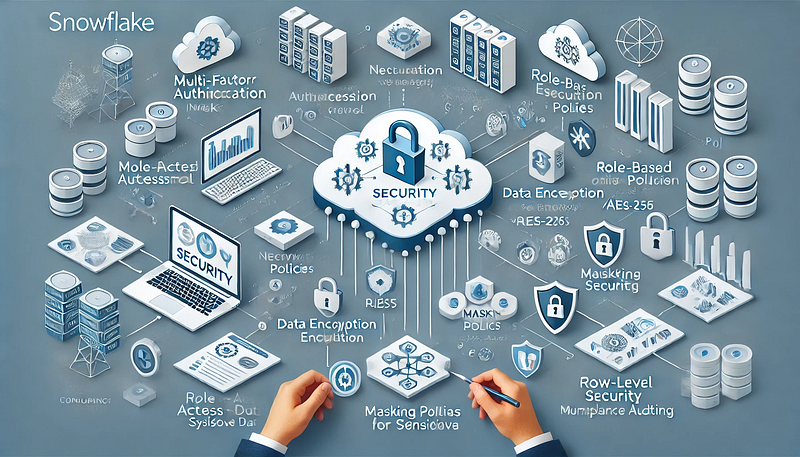
Snowflake is a cloud-based data warehouse designed for scalability and flexibility, but securing data within it requires a structured approach. This guide outlines best practices for securing data in Snowflake across authentication, access control, encryption, monitoring, and compliance.
1. Strong Authentication & Access Control
Use Multi-Factor Authentication (MFA)
- Enforce MFA for all user accounts to prevent unauthorized access.
- Snowflake supports native MFA and integration with SSO providers like Okta, Azure AD, and Ping Identity.
Leverage Role-Based Access Control (RBAC)
- Use Snowflake’s RBAC model to grant the least privilege necessary.
- Create custom roles instead of assigning direct user permissions. Example:
- sql
CREATE ROLE analyst; GRANT USAGE ON DATABASE sales TO ROLE analyst; GRANT USAGE ON SCHEMA sales_data TO ROLE analyst; GRANT SELECT ON ALL TABLES IN SCHEMA sales_data TO ROLE analyst;
Use Network Policies to Restrict Access
- Restrict access to trusted IPs using network policies:
- sql
CREATE NETWORK POLICY secure_access ALLOWED_IP_LIST=('192.168.1.1/32', '10.10.0.0/16'); ALTER ACCOUNT SET NETWORK POLICY = secure_access;
2. Data Encryption and Protection
Enable End-to-End Encryption
- Data in transit: Encrypted using TLS 1.2+.
- Data at rest: Encrypted using AES-256 by default.
Use External Key Management (BYOK)
- Integrate AWS KMS, Azure Key Vault, or GCP KMS for managing encryption keys.
Mask Sensitive Data Using Dynamic Data Masking
- Apply column-level masking to protect PII and financial data:
- sql
CREATE MASKING POLICY ssn_mask AS (val STRING) RETURNS STRING -> CASE WHEN CURRENT_ROLE() IN ('admin', 'auditor') THEN val ELSE 'XXX-XX-XXXX' END; ALTER TABLE customers MODIFY COLUMN ssn SET MASKING POLICY ssn_mask;
3. Secure Data Sharing and Access
Limit Data Sharing with Secure Views
- Use secure views to control access to specific columns:
- sql
CREATE SECURE VIEW customer_summary AS SELECT id, name, country FROM customers;
Enable Row-Level Security
- Restrict data access based on user roles:
- sql
CREATE ROW ACCESS POLICY country_policy AS (country STRING) RETURNS BOOLEAN -> CASE WHEN CURRENT_ROLE() = 'US_SALES' THEN country = 'USA' WHEN CURRENT_ROLE() = 'EU_SALES' THEN country IN ('France', 'Germany') ELSE FALSE END; ALTER TABLE sales_data ADD ROW ACCESS POLICY country_policy ON (country);
4. Monitoring and Auditing
Enable Snowflake Access History for Auditing
- Track who accessed what data using ACCESS_HISTORY:
- sql
SELECT * FROM SNOWFLAKE.ACCOUNT_USAGE.ACCESS_HISTORY WHERE QUERY_TEXT LIKE '%SELECT%' ORDER BY EVENT_TIMESTAMP DESC;
Set Up Alerting for Suspicious Activities
- Use Snowsight or external SIEM tools (Splunk, Datadog) for log monitoring.
- Automate alerts for anomalies such as failed logins or sudden data exports.
5. Compliance and Governance
Leverage Snowflake Data Classification
- Use automated data classification to tag sensitive data (e.g., PII, financial records).
Enforce Retention and Time Travel Policies
- Set appropriate Time Travel retention (default: 1 day, max: 90 days).
- Use Fail-Safe for disaster recovery (7-day retention).
- sql
ALTER TABLE transactions SET DATA_RETENTION_TIME_IN_DAYS = 30;
Conclusion
Securing Snowflake requires a multi-layered approach, combining authentication, RBAC, encryption, network security, and monitoring. By implementing these best practices, you can ensure data protection, compliance, and governance while maintaining efficient access control.
WEBSITE: https://www.ficusoft.in/snowflake-training-in-chennai/


Comments
Post a Comment