Using Azure Data Factory with Azure Synapse Analytics
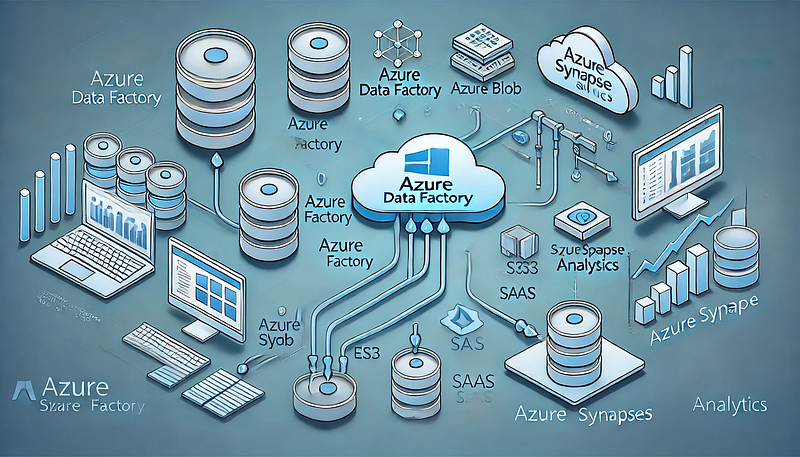
Using Azure Data Factory with Azure Synapse Analytics
Introduction
Azure Data Factory (ADF) and Azure Synapse Analytics are two powerful cloud-based services from Microsoft that enable seamless data integration, transformation, and analytics at scale.
ADF serves as an ETL (Extract, Transform, Load) or ELT (Extract, Load, Transform) orchestration tool, while Azure Synapse provides a robust data warehousing and analytics platform.
By integrating ADF with Azure Synapse Analytics, businesses can build automated, scalable, and secure data pipelines that support real-time analytics, business intelligence, and machine learning workloads.
Why Use Azure Data Factory with Azure Synapse Analytics?
1. Unified Data Integration & Analytics
ADF provides a no-code/low-code environment to move and transform data before storing it in Synapse, which then enables powerful analytics and reporting.
2. Support for a Variety of Data Sources
ADF can ingest data from over 90+ native connectors, including: On-premises databases (SQL Server, Oracle, MySQL, etc.) Cloud storage (Azure Blob Storage, Amazon S3, Google Cloud Storage) APIs, Web Services, and third-party applications (SAP, Salesforce, etc.)
3. Serverless and Scalable Processing With Azure Synapse, users can choose between:
Dedicated SQL Pools (Provisioned resources for high-performance querying) Serverless SQL Pools (On-demand processing with pay-as-you-go pricing)
4. Automated Data Workflows ADF allows users to design workflows that automatically fetch, transform, and load data into Synapse without manual intervention.
5. Security & Compliance Both services provide enterprise-grade security, including: Managed Identities for authentication Role-based access control (RBAC) for data governance Data encryption using Azure Key Vault
- Ingesting Data into Azure Synapse ADF serves as a powerful ingestion engine for structured, semi-structured, and unstructured data sources.
Examples include: Batch Data Loading: Move large datasets from on-prem or cloud storage into Synapse.
Incremental Data Load: Sync only new or changed data to improve efficiency.
Streaming Data Processing: Ingest real-time data from services like Azure Event Hubs or IoT Hub.
2. Data Transformation & Cleansing ADF provides two primary ways to transform data: Mapping Data Flows: A visual, code-free way to clean and transform data.
Stored Procedures & SQL Scripts in Synapse: Perform complex transformations using SQL.
3. Building ETL/ELT Pipelines ADF allows businesses to design automated workflows that: Extract data from various sources Transform data using Data Flows or SQL queries Load structured data into Synapse tables for analytics
4. Real-Time Analytics & Business Intelligence ADF can integrate with Power BI, enabling real-time dashboarding and reporting.
Synapse supports Machine Learning models for predictive analytics. How to Integrate Azure Data Factory with Azure Synapse Analytics Step 1: Create an Azure Data Factory Instance Sign in to the Azure portal and create a new Data Factory instance.
Choose the region and resource group for deployment.
Step 2: Connect ADF to Data Sources Use Linked Services to establish connections to storage accounts, databases, APIs, and SaaS applications.
Example: Connect ADF to an Azure Blob Storage account to fetch raw data.
Step 3: Create Data Pipelines in ADF Use Copy Activity to move data into Synapse tables. Configure Triggers to automate pipeline execution.
Step 4: Transform Data Before Loading Use Mapping Data Flows for complex transformations like joins, aggregations, and filtering. Alternatively, perform ELT by loading raw data into Synapse and running SQL scripts.
Step 5: Load Transformed Data into Synapse Analytics Store data in Dedicated SQL Pools or Serverless SQL Pools depending on your use case.
Step 6: Monitor & Optimize Pipelines Use ADF Monitoring to track pipeline execution and troubleshoot failures. Enable Performance Tuning in Synapse by optimizing indexes and partitions.
Best Practices for Using ADF with Azure Synapse Analytics
- Use Incremental Loads for Efficiency Instead of copying entire datasets, use delta processing to transfer only new or modified records.
Leverage Watermark Columns or Change Data Capture (CDC) for incremental loads.
2. Optimize Performance in Data Flows Use Partitioning Strategies to parallelize data processing. Minimize Data Movement by filtering records at the source.
3. Secure Data Pipelines Use Managed Identity Authentication instead of hardcoded credentials. Enable Private Link to restrict data movement to the internal Azure network.
4. Automate Error Handling Implement Retry Policies in ADF pipelines for transient failures. Set up Alerts & Logging for real-time error tracking.
5. Leverage Cost Optimization Strategies Choose Serverless SQL Pools for ad-hoc querying to avoid unnecessary provisioning.
Use Data Lifecycle Policies to move old data to cheaper storage tiers. Conclusion Azure Data Factory and Azure Synapse Analytics together create a powerful, scalable, and cost-effective solution for enterprise data integration, transformation, and analytics.
ADF simplifies data movement, while Synapse offers advanced querying and analytics capabilities.
By following best practices and leveraging automation, businesses can build efficient ETL pipelines that power real-time insights and decision-making.
WEBSITE: https://www.ficusoft.in/azure-data-factory-training-in-chennai/


Comments
Post a Comment