Building a Smart IoT Application with AWS IoT Core
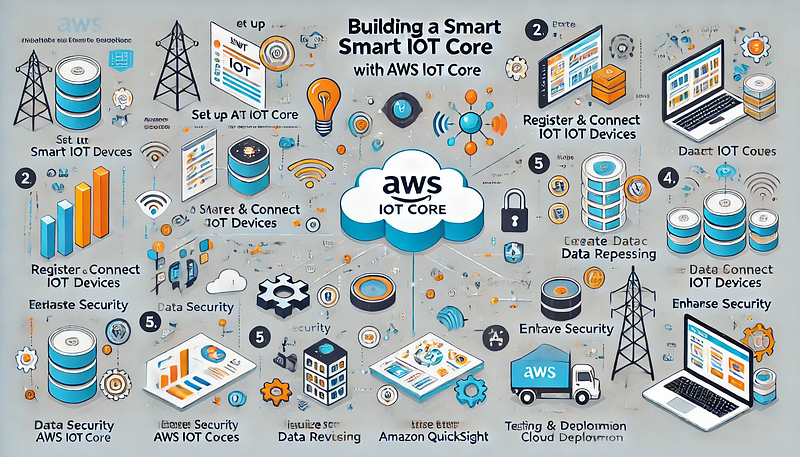
The Internet of Things (IoT) has revolutionized industries by enabling devices to connect, communicate, and make intelligent decisions. AWS IoT Core provides a robust platform to build, manage, and secure IoT applications at scale. This guide outlines the key steps to develop a smart IoT application using AWS IoT Core.
What is AWS IoT Core?
AWS IoT Core is a managed cloud platform that enables connected devices to interact securely with cloud applications and other devices. It supports MQTT, HTTP, and WebSocket protocols for device communication.
Key Features of AWS IoT Core
✅ Secure device communication via X.509 certificates.
✅ Supports real-time data processing with AWS Lambda and Amazon Kinesis.
✅ Integrates seamlessly with AWS services like DynamoDB, S3, and CloudWatch.
✅ Offers Device Shadow for offline state management.
Step 1: Set Up AWS IoT Core
- Sign in to the AWS Management Console.
- Navigate to AWS IoT Core.
- In the left menu, go to Manage → Things.
- Click Create Thing and provide:
- Name: A meaningful identifier for your IoT device.
- Device Shadow: Enable it if you want AWS IoT to store device state information.
- Click Next, generate certificates, and download them securely for authentication.
Step 2: Register and Connect IoT Devices
- Go to Secure → Certificates in AWS IoT Core.
- Upload the certificate generated during Thing creation.
- Attach an IoT Policy that grants permissions for device connectivity.
- Install the certificate and private key on your IoT device.
- Use the MQTT protocol to connect your device using the provided endpoint.
Example Code (Python — MQTT Connection):
pythonimport paho.mqtt.client as mqttclient = mqtt.Client()
client.tls_set("path/to/AmazonRootCA1.pem",
certfile="path/to/device-certificate.pem.crt",
keyfile="path/to/private.pem.key")
client.connect("your-iot-endpoint.amazonaws.com", 8883)
client.publish("iot/topic", "Hello from IoT Device!")
Step 3: Create an IoT Rule for Data Routing
- In AWS IoT Core, navigate to Act → Rules.
- Click Create a rule and define the following:
- Name: Provide a meaningful name.
- SQL Statement: Use SQL-like syntax to filter data from specific MQTT topics.
Example Rule Statement:
sqlSELECT temperature, humidity FROM 'iot/sensor/data'
WHERE temperature > 30- Choose an Action, such as:
- Sending data to Amazon S3 for storage.
- Triggering AWS Lambda for real-time processing.
- Publishing alerts to Amazon SNS for notifications.
Step 4: Implement Data Storage and Processing
- Use Amazon DynamoDB to store structured IoT data for real-time queries.
- Utilize AWS Lambda to process data and trigger automated actions.
- Leverage Amazon Kinesis for real-time analytics and dashboards.
Step 5: Visualizing Data with Amazon QuickSight
- In Amazon QuickSight, create a new dataset using data stored in Amazon S3 or DynamoDB.
- Build interactive dashboards to track device performance, environmental conditions, or system health.
- Use visual charts to analyze patterns, trends, and anomalies.
Step 6: Enhancing Security
- Use AWS IoT Device Defender to monitor security threats.
- Enable AWS IoT Policies to manage fine-grained permissions for each device.
- Secure communication using TLS 1.2 encryption and X.509 certificates.
Step 7: Testing and Deployment
- Simulate multiple devices to validate your application’s scalability.
- Monitor data flow in AWS IoT Core’s Test console.
- Deploy the application using AWS IoT Greengrass for edge computing scenarios.
Conclusion
Building a smart IoT application with AWS IoT Core empowers developers to connect devices securely, process data in real-time, and build scalable solutions. By integrating AWS services like Lambda, DynamoDB, and QuickSight, you can create powerful IoT applications that drive actionable insights.


Comments
Post a Comment