Combining Azure Data Factory with Azure Event Grid for Event-Driven Workflows
Traditional data pipelines often run on schedules — every 15 minutes, every hour, etc. But in a real-time world, that isn’t always enough. When latency matters, event-driven architectures offer a more agile solution.
Enter Azure Data Factory (ADF) + Azure Event Grid — a powerful duo for building event-driven data workflows that react to file uploads, service messages, or data changes instantly.
Let’s explore how to combine them to build more responsive, efficient, and scalable pipelines.
⚡ What is Azure Event Grid?
Azure Event Grid is a fully managed event routing service that enables your applications to react to events in near real-time. It supports:
- Multiple event sources: Azure Blob Storage, Event Hubs, IoT Hub, custom apps
- Multiple event handlers: Azure Functions, Logic Apps, WebHooks, and yes — Azure Data Factory
🎯 Why Use Event Grid with Azure Data Factory?
BenefitDescription🕒 Real-Time TriggersTrigger ADF pipelines the moment a file lands in Blob Storage — no polling needed🔗 Decoupled ArchitectureKeep data producers and consumers independent⚙️ Flexible RoutingRoute events to different pipelines, services, or queues based on metadata💰 Cost-EffectivePay only for events received — no need for frequent pipeline polling
🧱 Core Architecture Pattern
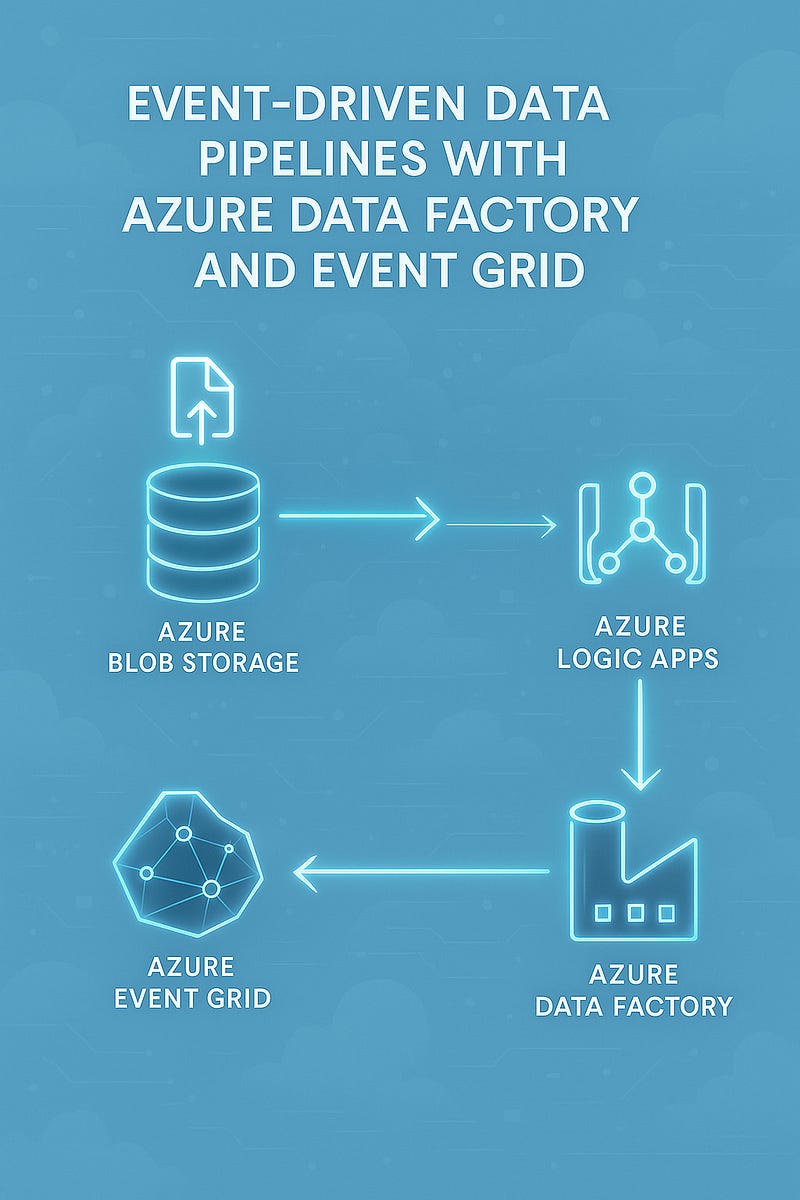
Here’s how the integration typically looks:
pgsqlData Source (e.g., file uploaded to Blob Storage)
↓
Event Grid
↓
ADF Webhook Trigger (via Logic App or Azure Function)
↓
ADF Pipeline runs to ingest/transform data🛠 Step-by-Step: Setting Up Event-Driven Pipelines
✅ 1. Enable Event Grid on Blob Storage
- Go to your Blob Storage account
- Navigate to Events > + Event Subscription
- Select Event Type: Blob Created
- Choose the endpoint — typically a Logic App, Azure Function, or Webhook
✅ 2. Create a Logic App to Trigger ADF Pipeline
Use Logic Apps if you want simple, no-code integration:
- Use the “When a resource event occurs” Event Grid trigger
- Add an action: “Create Pipeline Run (Azure Data Factory)”
- Pass required parameters (e.g., file name, path) from the event payload
🔁 You can pass the blob path into a dynamic dataset in ADF for ingestion or transformation.
✅ 3. (Optional) Add Routing Logic
Use conditional steps in Logic Apps or Functions to:
- Trigger different pipelines based on file type
- Filter based on folder path, metadata, or event source
📘 Use Case Examples
📁 1. File Drop in Data Lake
- Event Grid listens to Blob Created
- Logic App triggers ADF pipeline to process the new file
🧾 2. New Invoice Arrives via API
- Custom app emits event to Event Grid
- Azure Function triggers ADF pipeline to pull invoice data into SQL
📈 3. Stream Processing with Event Hubs
- Event Grid routes Event Hub messages to ADF or Logic Apps
- Aggregated results land in Azure Synapse
🔐 Security and Best Practices
- Use Managed Identity for authentication between Logic Apps and ADF
- Use Event Grid filtering to avoid noisy triggers
- Add dead-lettering to Event Grid for failed deliveries
- Monitor Logic App + ADF pipeline failures with Azure Monitor Alerts
🧠 Wrapping Up
Event-driven architectures are key for responsive data systems. By combining Azure Event Grid with Azure Data Factory, you unlock the ability to trigger pipelines instantly based on real-world events — reducing latency, decoupling your system, and improving efficiency.
Whether you’re reacting to file uploads, streaming messages, or custom app signals, this integration gives your pipelines the agility they need.
Want an infographic to go with this blog? I can generate one in your preferred visual style.
WEBSITE: https://www.ficusoft.in/azure-data-factory-training-in-chennai/


Comments
Post a Comment