How to Record Contra, Payment, and Receipt Entries in Tally
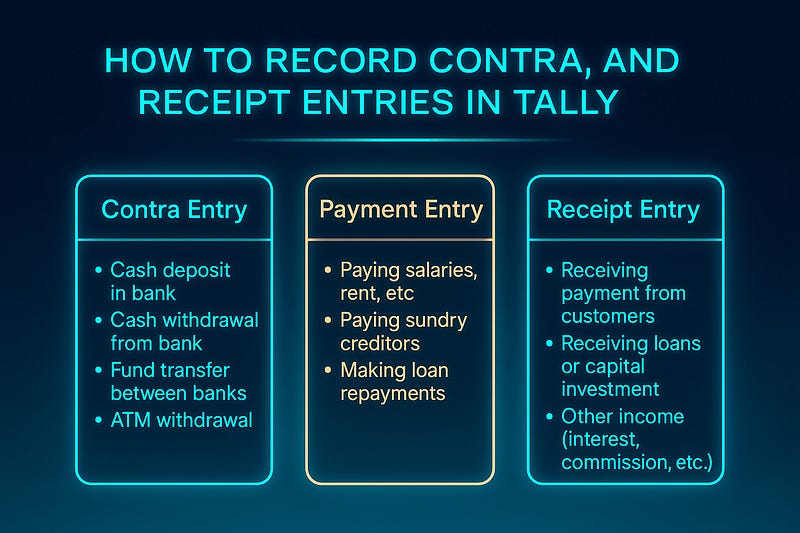
Tally simplifies accounting by providing easy methods to record various financial transactions. Among them, Contra, Payment, and Receipt Entries are essential for managing cash and bank transactions. This guide explains how to record these entries efficiently in Tally Prime or Tally ERP 9.
1. Contra Entry in Tally
A Contra Entry is used when cash is deposited into or withdrawn from a bank, or when funds are transferred between banks.
When to Use Contra Entry?
- Cash Deposit in Bank
- Cash Withdrawal from Bank
- Fund Transfer Between Bank Accounts
- ATM Withdrawal
Steps to Record Contra Entry in Tally
- Open Tally Prime / Tally ERP 9
- Go to Gateway of Tally > Accounting Vouchers
- Press F4 (Contra)
- Select the Bank or Cash Account involved in the transaction
- Enter the Amount
- Provide Narration (optional but recommended)
- Press Enter & Save
- If you deposit ₹10,000 cash into an HDFC Bank account, the entry will be:
- Debit: HDFC Bank A/c
- Credit: Cash A/c
2. Payment Entry in Tally
A Payment Entry is used when a company makes any cash or bank payments.
When to Use Payment Entry?
- Paying Salaries, Rent, or Expenses
- Paying Sundry Creditors
- Making Loan Repayments
Steps to Record Payment Entry in Tally
- Go to Gateway of Tally > Accounting Vouchers
- Press F5 (Payment)
- Select the Bank or Cash Account from which payment is made
- Choose the Party Account or Expense Ledger
- Enter the Amount & Narration
- Press Enter & Save
- If you pay ₹5,000 rent in cash, the entry will be:
- Debit: Rent A/c
- Credit: Cash A/c
3. Receipt Entry in Tally
A Receipt Entry is used when the business receives money, either in cash or via bank.
When to Use Receipt Entry?
- Receiving Payment from Customers
- Receiving Loans or Capital Investment
- Other Income (Interest, Commission, etc.)
Steps to Record Receipt Entry in Tally
- Go to Gateway of Tally > Accounting Vouchers
- Press F6 (Receipt)
- Select the Cash or Bank Account receiving money
- Choose the Party or Income Ledger
- Enter the Amount & Narration
- Press Enter & Save
- If you receive ₹20,000 from a customer in an HDFC Bank account, the entry will be:
- Debit: HDFC Bank A/c
- Credit: Customer’s A/c
Conclusion
Understanding Contra, Payment, and Receipt Entries in Tally helps maintain accurate financial records. By recording transactions properly, businesses can improve cash flow management and ensure better reporting.
WEBSITE: https://www.ficusoft.in/tally-training-in-chennai/


Comments
Post a Comment