Essential Tools for Full Stack Development: IDEs, Version Control, and More
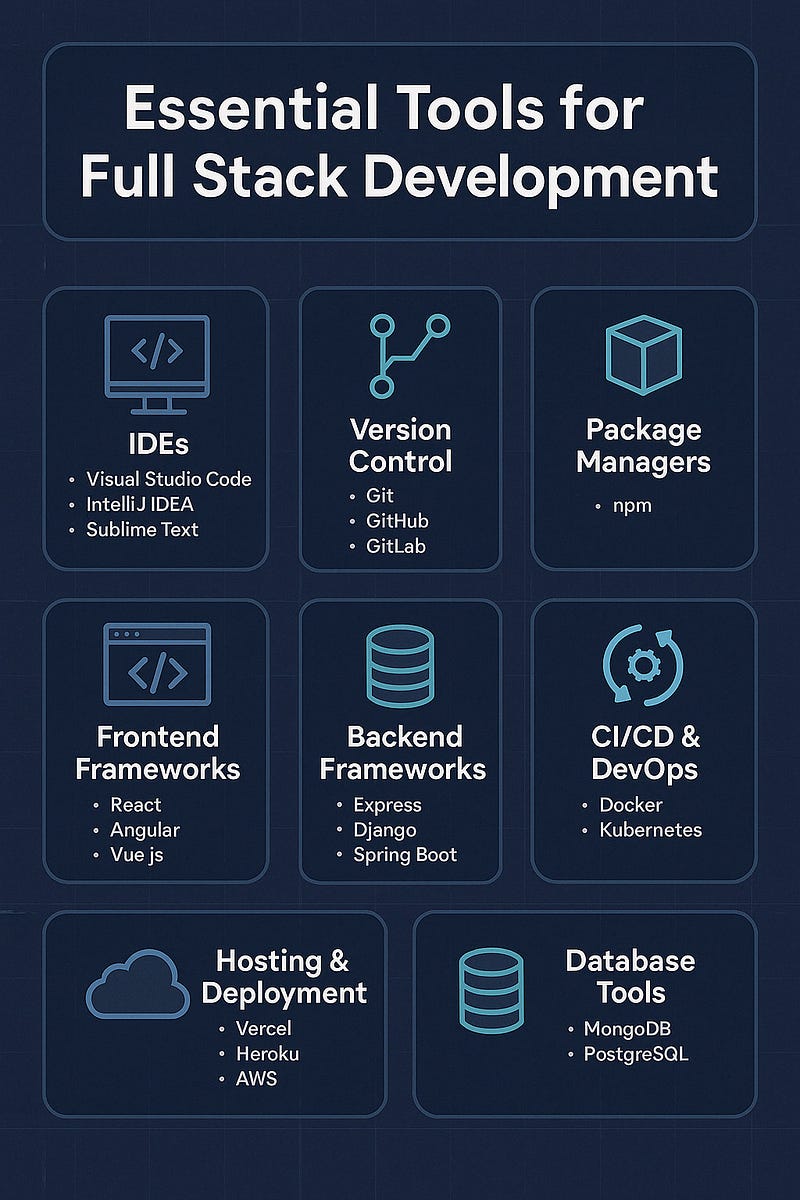
In the fast-paced world of full stack development, having the right tools at your fingertips can make the difference between smooth sailing and utter chaos. Whether you’re building REST APIs, crafting UIs, or deploying to the cloud, the modern full stack dev toolbox is stacked (pun intended).
Here’s a rundown of essential tools every full stack developer should know — from IDEs to version control and beyond.
🖥️ 1. Integrated Development Environments (IDEs)
A solid IDE is your home base — where ideas turn into code.
🔧 Top Picks:
- Visual Studio Code: Lightweight, highly customizable, with thousands of extensions.
- JetBrains WebStorm / IntelliJ IDEA: Feature-rich, smart code completion, powerful refactoring tools.
- Sublime Text: Fast, minimal, and great for quick edits.
✅ Look for:
- Debugging support
- Git integration
- Extension ecosystem
- Language-specific tooling (Node.js, Python, etc.)
🌿 2. Version Control Systems
Every project — big or small — needs version control.
🔧 Must-Have:
- Git: The industry standard for distributed version control.
🧰 Tooling Options:
- GitHub / GitLab / Bitbucket: Remote repositories with pull request workflows, CI/CD integrations, and team collaboration features.
💡 Tip:
Use branches for features, bugfixes, and experiments. Protect your main or production branch with review workflows.
🏗️ 3. Package Managers
Managing dependencies and scripts is smoother with the right package manager.
🔧 Essentials:
- npm / Yarn / pnpm (JavaScript)
- pip (Python)
- Composer (PHP)
- Bundler (Ruby)
These tools help install, update, and lock packages for consistent environments.
🌐 4. Frontend Frameworks
Modern frontend development thrives on component-based architectures.
🔧 Common Choices:
- React: The current industry leader, backed by Meta.
- Vue.js: Lightweight, approachable, and flexible.
- Angular: Enterprise-grade, all-in-one solution.
Pair these with tools like Vite or Webpack for bundling and hot-reload dev servers.
🛠️ 5. Backend Frameworks
Pick one based on your language of choice and use case.
🔧 Examples:
- Express.js (Node.js): Minimal, unopinionated.
- Django (Python): Batteries-included.
- Spring Boot (Java): Powerful and scalable.
- Laravel (PHP): Developer-friendly and elegant.
🔄 6. APIs & Testing Tools
APIs power full stack apps — test them thoroughly!
🔧 Tools:
- Postman / Insomnia: For API testing and documentation.
- Swagger / OpenAPI: For standardized API documentation and testing.
- Jest / Mocha / Supertest: For writing and running backend and integration tests.
🚀 7. CI/CD & DevOps Tools
Automate your build, test, and deploy process.
🔧 Popular Platforms:
- GitHub Actions: Easy to configure and tightly integrated with GitHub.
- GitLab CI/CD: Powerful and flexible pipelines.
- Jenkins: Highly customizable with plugins.
- Docker: Containerize your apps for consistent deployment.
- Kubernetes: For orchestrating containerized applications at scale.
☁️ 8. Hosting & Deployment
Where your code lives and serves the world.
🔧 Go-To Services:
- Vercel / Netlify: For static sites and frontend frameworks.
- Heroku: Easy app hosting for small-to-medium apps.
- AWS / GCP / Azure: Scalable cloud infrastructure for production-grade apps.
- Render / Railway: Developer-friendly alternatives to Heroku.
🧠 9. Database Tools
Manage, visualize, and query your data efficiently.
🔧 Recommended Tools:
- PostgreSQL / MySQL: Popular relational databases.
- MongoDB: Leading NoSQL option.
- Prisma / Sequelize / TypeORM: ORM tools for working with databases via code.
- DBeaver / TablePlus / MongoDB Compass: GUI clients for visual interaction with databases.
✅ 10. Productivity & Collaboration
Keep your workflow smooth and your team synced.
🔧 Productivity Boosters:
- Slack / Discord / MS Teams: Real-time communication.
- Notion / Trello / Jira: Project planning and task tracking.
- Figma / Adobe XD: For designing and prototyping user interfaces.
- Markdown + VS Code Live Share: Lightweight doc sharing and pair programming.
Final Thoughts
A good full stack developer doesn’t just write code — they craft solutions efficiently, choosing tools that scale with their projects and simplify collaboration. The tools you use should empower your workflow, reduce friction, and support high-quality, maintainable code.
WEBSITE: https://www.ficusoft.in/digital-marketing-training-in-chennai/


Comments
Post a Comment