How to Use Git and GitHub Effectively as a Full Stack Developer
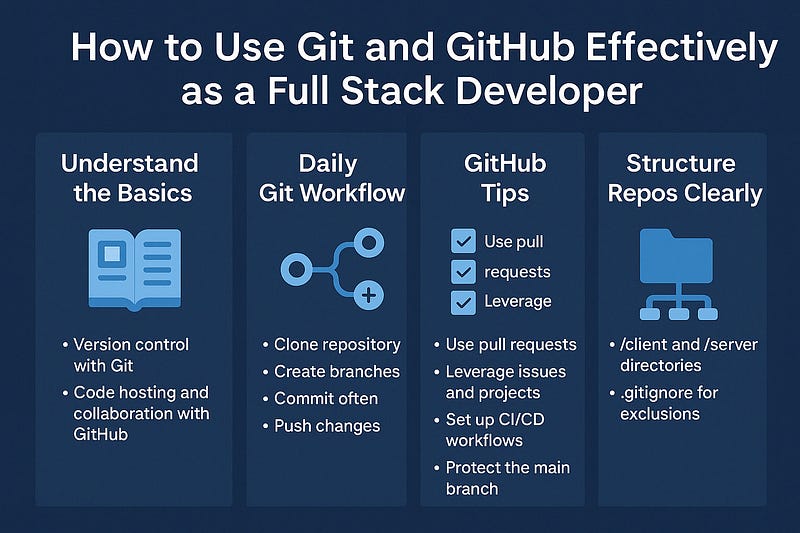
As a full stack developer, mastering Git and GitHub isn’t just a nice-to-have — it’s essential. Whether you’re collaborating with teammates, deploying applications, or managing personal projects, Git and GitHub empower you to track changes, manage code history, and collaborate efficiently.
Let’s break down how you can use them effectively throughout the full stack workflow.
🧠 First, Understand the Basics
What is Git?
Git is a version control system that tracks changes to your code. It allows you to:
- Roll back to previous versions
- Work on multiple features simultaneously (branches)
- Collaborate with others without overwriting each other’s work
What is GitHub?
GitHub is a cloud-based platform that hosts Git repositories and provides tools for collaboration, issue tracking, code review, CI/CD, and more.
🔁 Daily Git Workflow for Full Stack Developers
1. Clone the Repo
Start by cloning your remote GitHub repo:
bashgit clone https://github.com/username/project-name.git2. Create a Branch
Never work directly on the main or production branch.
bashgit checkout -b feature/login-form3. Make Changes & Commit Often
Keep your commits small and descriptive:
bashgit add .
git commit -m "Add login form layout"4. Push Your Code
Send your branch to GitHub:
bashgit push origin feature/login-form🚀 GitHub Tips for Full Stack Projects
✅ 1. Use Pull Requests (PRs)
PRs are central to collaboration. Use them to:
- Review code with teammates
- Run automated tests before merging
- Discuss and document changes
Always follow a naming convention (e.g., feature/auth, fix/ui-bug).
✅ 2. Leverage Issues and Projects
Track bugs, features, and progress:
- Use Issues for tasks and bugs
- Use GitHub Projects (Kanban-style boards) for planning sprints or workflows
- Link PRs to Issues to auto-close them on merge
✅ 3. Set Up CI/CD Workflows
GitHub Actions allows you to:
- Run tests on push
- Lint or format code automatically
- Deploy your app to services like Vercel, Heroku, AWS, or DockerHub
Example workflow file:
yamlname: CI
on: [push]
jobs:
build:
runs-on: ubuntu-latest
steps:
- uses: actions/checkout@v2
- run: npm install && npm run build✅ 4. Protect the Main Branch
Enable branch protection rules:
- Require PR reviews
- Run CI tests before merge
- Disallow force pushes
This helps avoid breaking production or shared codebases.
🌲 Structure Repos Clearly
Organize full stack projects clearly in GitHub:
bash/client → frontend (React, Vue, etc.)
/server → backend (Node.js, Django, etc.)
/docs → API specs or guides
README.md → project overview, install & run instructionsUse .gitignore to keep junk out of your repo:
bashnode_modules/
.env
build/
.DS_Store📌 Pro Tips for Git & GitHub Mastery
- Use Git aliases to speed up commands:
- bash
git config --global alias.co checkout git config --global alias.br branch git config --global alias.ci commit git config --global alias.st status- Write clear commit messages: Use imperative mood (e.g., “Fix login bug”, not “Fixed…”).
- Use GitHub README badges (build status, license, etc.) to make your repo more professional.
- Contribute to open source to gain real-world GitHub experience.
Final Thoughts
Git and GitHub are more than just tools — they’re a fundamental part of a full stack developer’s workflow. By using them effectively, you’ll collaborate better, ship code faster, and maintain higher quality software.
WEBSITE: https://www.ficusoft.in/digital-marketing-training-in-chennai/


Comments
Post a Comment